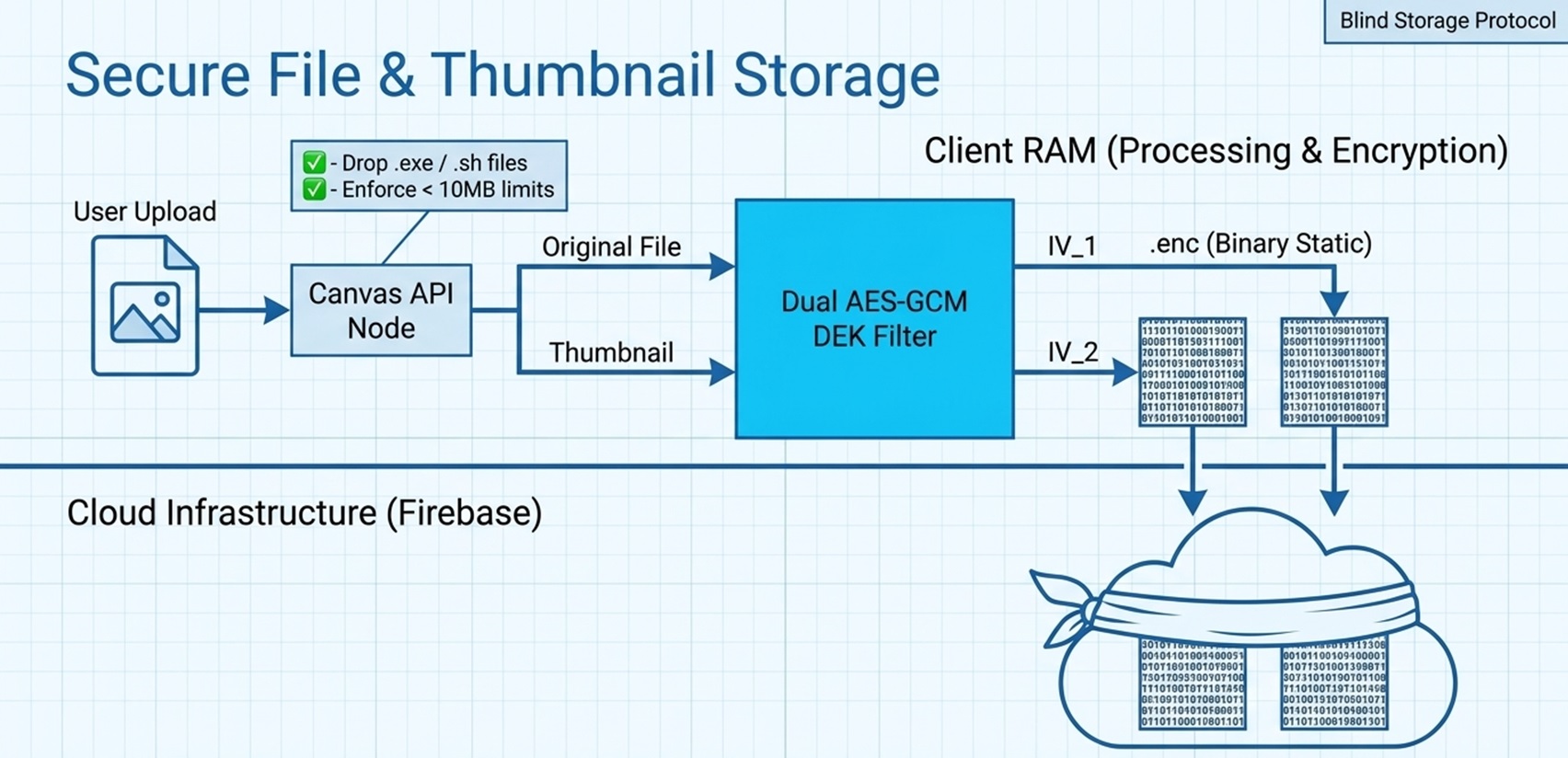
Secure File & Thumbnail
Your receipts and attachments are encrypted as raw binary streams right in your browser, keeping your documents safe from prying eyes.
The "Locked Safe" Analogy
Imagine you have a document that needs to be stored in a bank vault. How do you ensure the bank never sees what's inside?
1. On-Site Processing
Your file is processed entirely on your device using the Canvas API. This creates a thumbnail right in your browser's memory.
2. Binary Encryption
Before upload, both the original file and thumbnail are converted to encrypted binary blobs using AES-256-GCM. The cloud only sees random noise.
"Blind Storage"
Even if someone hacked Firebase Storage and downloaded your files, they would only find meaningless encrypted data. Without your DEK (which exists only in your device's RAM), the files are permanently unreadable.
The File Encryption Journey
From your device to the cloud—what happens to your file at each step.
File (.enc)
Thumbnail (.enc)
Security Features
Every file is protected by multiple layers of security.
Client-Side Only
The original file never leaves your browser unencrypted. Everything happens in RAM.
Unique Encryption
Every upload generates unique encryption keys and parameters. Even uploading the same file twice produces completely different encrypted output.
Blind Storage
Firebase Storage sees only .enc blobs. Even if breached, your files remain unreadable.
"Your financial documents are encrypted before they leave your device, so the cloud only ever stores unbreakable secrets."